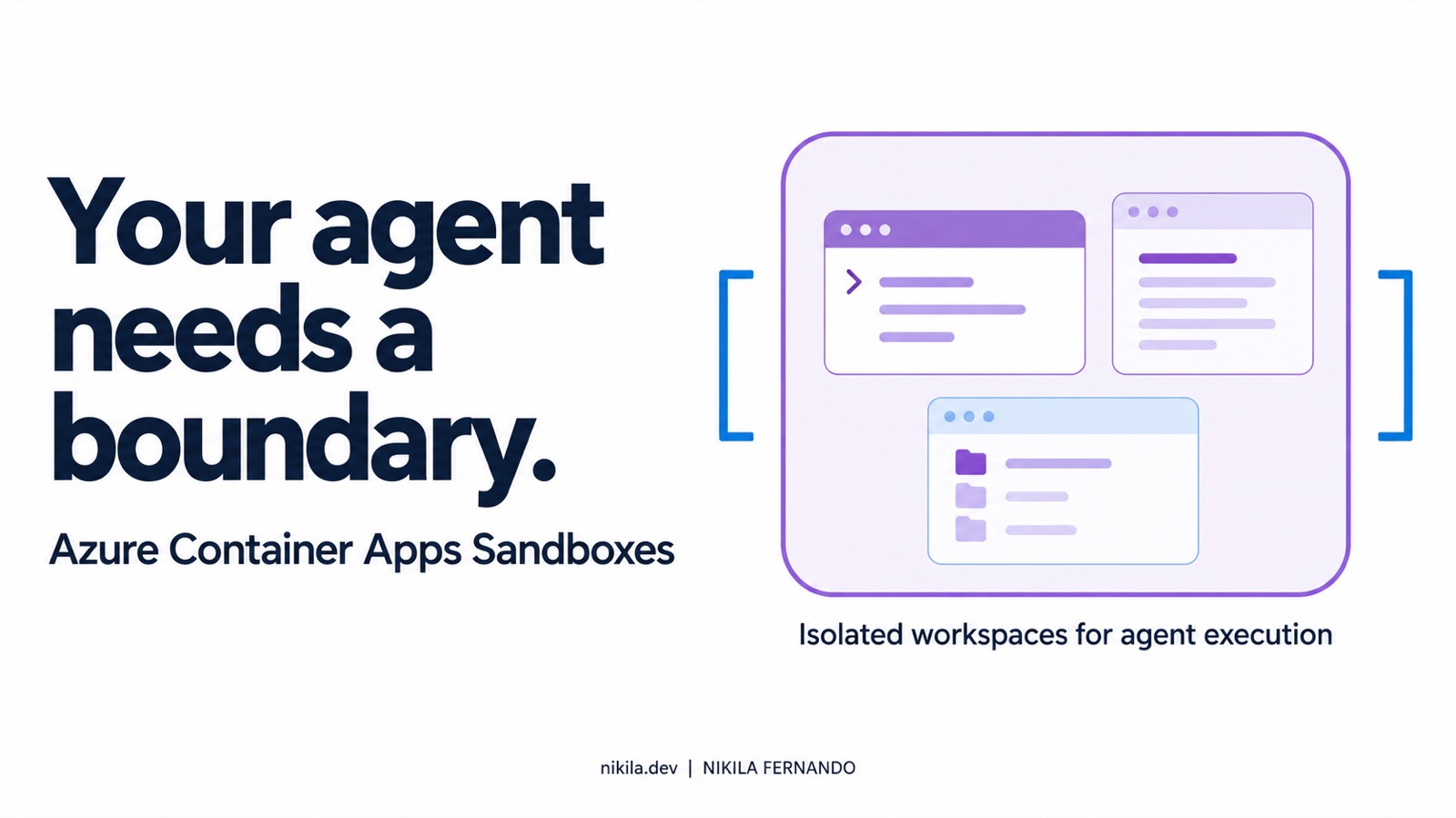
The agent was supposed to help build an application. It ended up deleting data from the application’s database.
In July 2025, that happened during Jason Lemkin’s experiment with Replit’s coding agent. Replit later acknowledged the deletion and explained that, at the time, development changes could affect production. The data was eventually restored, and Replit introduced development and production database separation by default. Replit’s account
That is an uncomfortable story if you are giving an agent a terminal, repository access, and credentials.
Because “please don’t touch production” still leaves a question: can it touch production?
A platform engineer has to answer that through the environment, permissions, and services around the agent. The prompt alone cannot establish the boundary.
This is why sandboxing matters in agentic AI. And it is what makes Azure Container Apps Sandboxes interesting: a managed place to let an agent execute work, with controls around its reach and lifetime.
When an answer becomes an action
A chatbot can give you a bad command. You still have an opportunity to inspect it before running it.
An agent with tools can take that next step itself. It can edit files, install packages, run tests, call APIs, and decide what to try after something fails. That is a large part of its usefulness.
It also changes what we need to protect.
Take a fairly ordinary task: investigate a failing build. The agent reads a repository, follows an error message, and runs a diagnostic script. That script may come from the repository being investigated. A log or README may contain instructions that look helpful but point somewhere we never approved.
The agent can make a mistake without an attacker being involved, too. A cleanup command can remove the wrong directory. A migration can target the wrong database. A retry loop can keep consuming resources long after the useful work has stopped.
We already understand these problems in software engineering. Agents make them more immediate because some of the commands are chosen during execution, after reading new information.
The platform needs a way to let that work happen without giving every decision the reach of the developer’s laptop or the deployment pipeline.
So, what is a sandbox?
A sandbox is an execution environment with a deliberately restricted relationship to the systems around it.
Inside it, the workload has processes, files, resources, and whatever connectivity we permit. Outside it, another component decides what the workload can access and when its environment ends.
For an agent investigating a build, that could mean a temporary copy of the relevant files, a shell, access to the model endpoint, and a read-only context service. Its deployment credentials, unrelated repositories, and production database are outside that boundary.
The agent can still do useful work. A mistake has somewhere smaller to land.
There are different ways to enforce this: operating-system restrictions, container isolation, virtual machines, network controls, or combinations of them. Calling something a sandbox does not tell us which of those protections it actually has.
I would ask four questions before trusting the label:
- What separates the workload from its host and other workloads?
- Which files, network destinations, and credentials can it use?
- What bounds its running time and resource consumption?
- What evidence remains after the environment is removed?
A sandbox needs restricted authority
Put an agent in an isolated VM and give it a production database credential with unrestricted connectivity, and it may still change that database. Execution isolation and permission boundaries have to work together.
Sandboxing also does not prove that the agent’s answer is correct. It can produce an unsupported diagnosis while staying entirely within its permissions. Findings still need evidence and review.
Where Azure Container Apps Sandboxes fits
Microsoft introduced Azure Container Apps Sandboxes in public preview in June 2026 and announced general availability on September 23, 2026. GA announcement
The service provides on-demand microVM workspaces, each with its own kernel. You can supply an OCI image, execute commands, transfer files, and manage the workspace through APIs, SDKs, the CLI, or the portal. Sandbox platform documentation
The useful distinction is control over the individual workspace. Your application can create it for a task, interact with it over several steps, preserve state if necessary, and delete it when the work finishes.
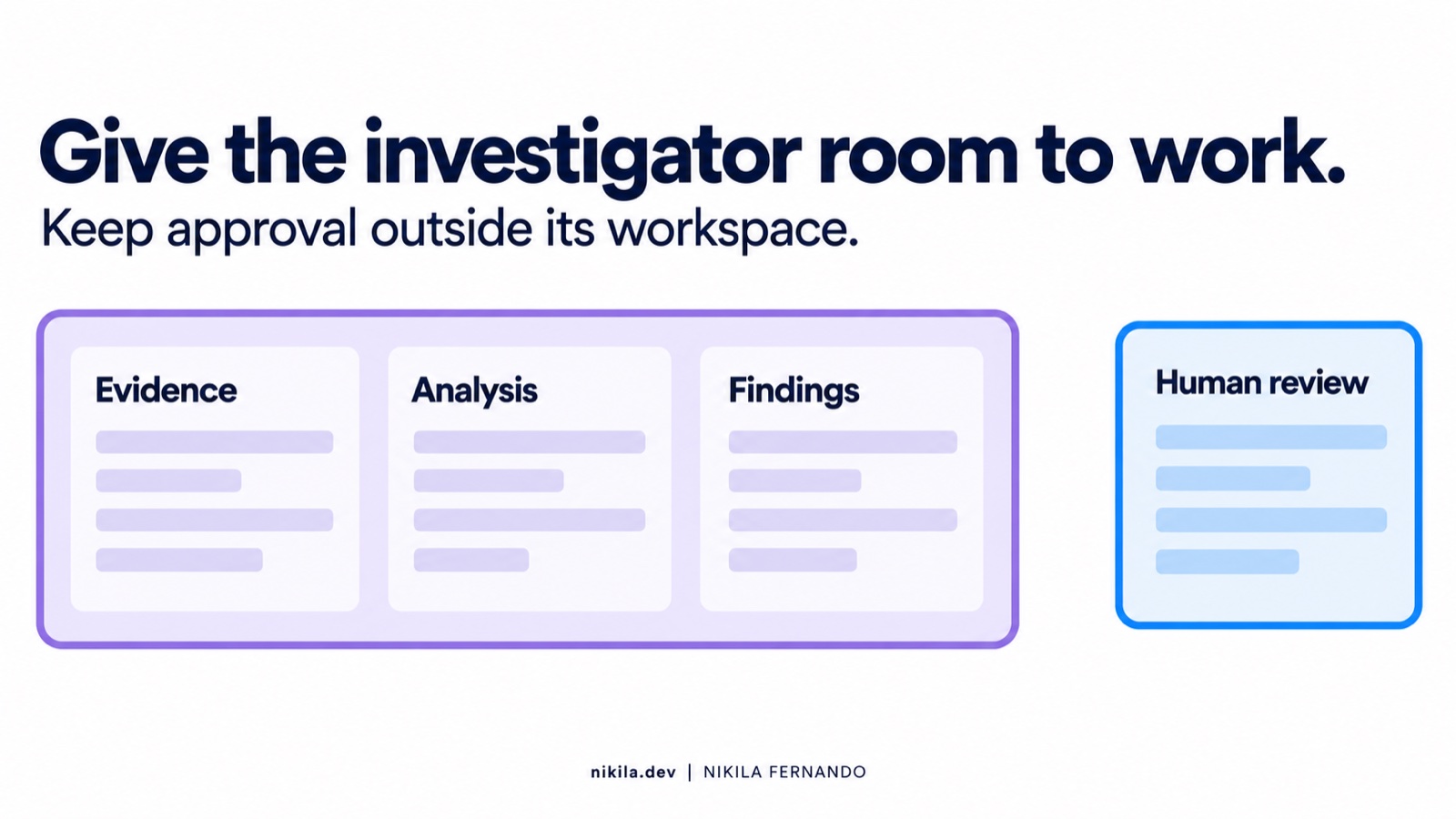
For example, a controller could prepare evidence, create a restricted workspace, start an investigator, retrieve its report, and send the findings through validation and review. The credentials used to manage the workspace stay with the controller.
That is an application pattern built on the service. Azure does not automatically provide the surrounding approval process or decide which findings deserve publication.
Is this just another Container Apps Job?
There is overlap, but the operating model matters.
| Compute option | A useful starting point when you need… |
|---|---|
| Container App | A continuously available service or API |
| Container Apps Job | A defined task that runs to completion |
| Dynamic Sessions | Pool-managed isolated execution through a session endpoint |
| Sandboxes | Direct control of an individual workspace, its files, state, and lifecycle |
For a fixed scanner command, a Job may already be enough. A sandbox becomes more interesting when the workload builds local context, executes several steps, or needs to pause and continue. Azure compute comparison
What the platform gives you—and what you still decide
The microVM is the execution foundation. Networking, identity, lifecycle, and observability determine how useful that foundation becomes.
Start with the network boundary
An isolated workspace should not automatically have access to every destination its tools can name.
ACA supports egress policies that allow, deny, or transform outbound requests. Microsoft recommends a deny-by-default posture with explicit access to the destinations the workload needs. The policy can be supplied in the creation request, so it applies from startup. Egress policies
That last detail matters. Starting a workload and restricting it afterward leaves an interval to account for, especially when restoring an environment with running processes.
An allow-list is also only part of the design. An approved hostname can still receive sensitive data, and an internal API can still expose more operations than the task requires. Authorization has to hold at those services as well.
Keep credentials appropriate to the task
An investigator may need to read evidence and call a model. It usually has no reason to use the application’s deployment identity.
Azure supports credential handling patterns including egress header injection. Other integrations may make configured tokens available to tooling at startup. Check the actual mechanism before assuming a credential stays outside the agent process. Provider credential documentation
The practical decision is which authority enters the workspace, for how long, and what that authority can do if misused.
Decide what should survive
Suspend and resume are useful when an agent waits for more context. Snapshots can preserve a prepared environment or an investigation checkpoint. They can also preserve source code, logs, and credentials.
A disposable task may be better served by exporting its result and deleting the workspace. Auto-suspend and auto-delete are separate lifecycle controls; pausing execution does not establish that its retained state has been removed. Lifecycle and snapshots
A snapshot also cannot freeze the outside world. Tokens expire, APIs change, and model responses vary. Restore is useful continuity, not a guarantee of deterministic replay.
Retain evidence outside the workspace
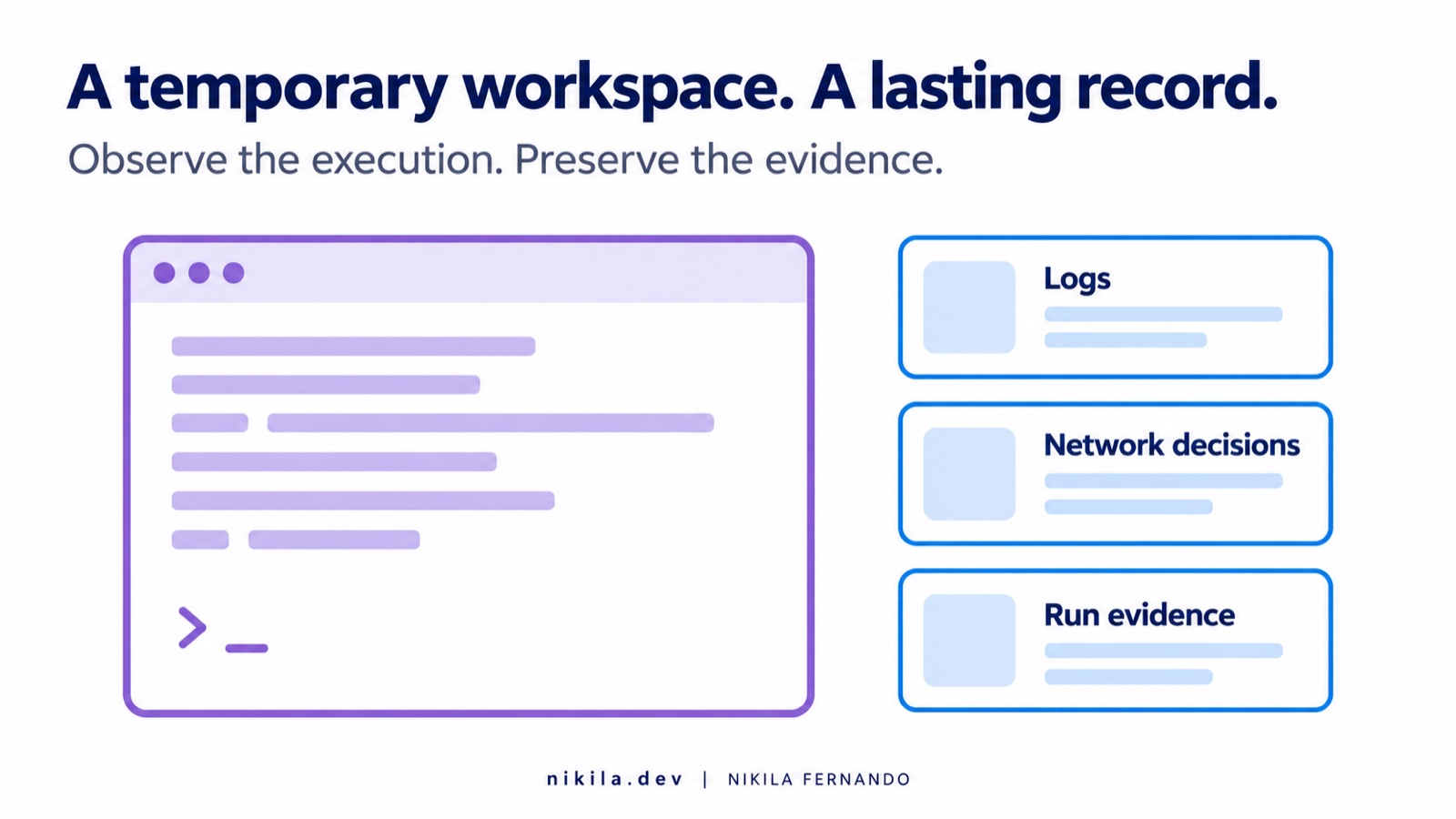
A temporary environment should not mean a temporary operational record.
ACA can export container output, OpenTelemetry signals, operational metrics, and network egress decisions. Export is opt-in through the per-sandbox telemetryConfig configuration. Logging documentation
For an investigation, I want to connect the task ID, input evidence, runtime image, policy, command results, output, and cleanup status. The agent’s final report alone cannot establish everything that happened.
That record needs its own access and retention policy. Keeping every prompt and log indefinitely is not automatically good observability.
How does this compare with NVIDIA OpenShell?
OpenShell approaches the same broad concern from the agent runtime and policy side.
Its architecture separates the untrusted workload from a trusted supervisor that mediates access. Its documented policy model covers files, processes, network destinations, and provider access. The current Linux backend uses controls including Landlock and seccomp. The compute boundary varies with the runtime, including container, Kubernetes, and VM patterns. OpenShell architecture
That makes the comparison more useful than asking which product is “the secure one.”
| Question | Azure Container Apps Sandboxes | NVIDIA OpenShell |
|---|---|---|
| What are you adopting? | An Azure-managed workspace service | An open-source agent runtime and policy system |
| What creates the execution boundary? | Managed microVMs | The selected runtime and isolation backend |
| Where do controls focus? | Workspace execution, connectivity, identity, and lifecycle | Agent access mediated through policy and supervision |
| Who operates the foundation? | Azure operates the underlying service | Your deployment determines infrastructure and operational ownership |
An Azure platform team may prefer a managed workspace with Azure integration. A team that needs direct ownership of the agent runtime and detailed policy enforcement may find OpenShell more aligned with its requirements.
Neither choice removes the need to test the actual workload, authorized services, and failure paths. I have not run a comparative security benchmark, so this is an operating-model comparison.
Where would I use these sandboxes?
The strongest fit is work that benefits from a real execution environment and needs a bounded reach.
CI failure investigation is one example. An agent can inspect logs, reproduce a failure, and produce an evidence-backed explanation without receiving deployment authority.
Testing generated code is another. A fresh workspace lets you execute a proposed script or patch against controlled inputs before deciding whether to accept it.
Temporary development environments can give a person or agent a prepared toolchain without sharing the developer’s main filesystem and credentials.
Per-task or per-customer agent execution can separate local working state. The surrounding application still needs tenant authorization, data handling rules, and appropriate network policy.
The distinction is whether the agent needs to execute anything. If it only summarizes a sanitized log through a model API, adding a whole workspace may provide little value. Choose the boundary around the capabilities the task actually needs.
What my own exploration brought into focus
I have been playing with ACA Sandboxes around CI investigation and governance. Applying the idea to an existing agent workflow brought the integration questions into focus fairly quickly.
A useful boundary still has to let the workload function.
Dependencies need to start. Required endpoints need to remain reachable. Credentials need to be scoped. Results need to leave the workspace through a controlled path. And cancellation needs to remove the environment even when the normal workflow cannot finish.
These are the tradeoffs I would pay attention to:
- Runtime compatibility: a successful shell command does not prove that the complete agent toolchain works. Workflows with Docker dependencies need their actual stack tested.
- Network restrictions: tighter access can expose hidden dependencies. Broader rules may make a demo work while weakening the intended boundary.
- Prepared state: images and snapshots can reduce repeated setup, but introduce rebuilding, patching, and retention responsibilities.
- Cleanup: a normal teardown step needs a recovery mechanism for partial provisioning and cancelled runs.
- Workflow integration: moving an existing workflow and remotely invoking a headless agent involve different amounts of work to preserve validation, publishing, budgets, and audit.
My feasibility work has verified the proposed workflow configuration through offline compilation. The complete restricted runtime, cancellation behavior, and performance still need end-to-end validation. I would rather keep those questions visible than turn a workable diagram into a claim of production readiness.
Fast startup is only one part of the task
Microsoft advertises sub-second sandbox startup and restore. Total task time also includes tool preparation, authentication, evidence transfer, model calls, validation, and cleanup. Benchmark the path your users will actually wait for.
And what does it cost?
The sandbox cost guide identifies allocated CPU and memory while running, plus retained storage categories. Stopped workspaces incur no CPU or memory charges. At the October 11, 2026 documentation check, storage charging was still marked as coming soon. Check the current guide and effective regional rates when budgeting. Cost guide · Container Apps pricing
The full task also includes model usage, telemetry, supporting network services, and orchestration. Retries and abandoned workspaces belong in that calculation.
For an investigation service, I would measure the cost of producing a useful finding and the engineering time it saves. Cheap compute does not make an unnecessary investigation valuable.
Start with a boundary you can demonstrate
The Sandboxes portal and official quickstarts are a reasonable place to begin exploring.
Start with a disposable workspace and a small task. Give it only the files and access it needs. Check that permitted work succeeds, prohibited access fails, and the evidence remains available after deletion.
Then test interruption. Cancel it halfway through and see what is left behind.
That will tell you more about the operating model than a long list of supported features.
Azure Container Apps Sandboxes gives platform teams a useful managed foundation for agent execution. The engineering value comes from configuring that environment so the agent can do its job while its mistakes remain contained.
Before giving an agent another tool, ask what that tool allows it to reach—and whether the boundary still holds when it makes the wrong decision.